
CAD & Engineering Drawing PDF Translator
Translate vector architectural blueprints, machinery schematics, and piping diagrams without shifting lines or clipping leader callouts.
Drop a document here
Headings, tables, and the page layout stay in place.
Click or drag file hereEngineered for DWG-exported PDFs, BIM sheets, mechanical tolerances, and title blocks. Vector dimensions, crosshatching, and hairline borders remain razor-sharp while callout labels are reconstructed with collision-aware typography.
- Preserves hairline vector CAD geometry, symbols, and dimension lines
- Prevents overlapping callout tags and title-block truncation
- Visual before/after comparison preview before unlocking full PDF
- High-precision CAD mode uses 5 credits per page — preview quality first
Left Original, Right Translated: See True Layout Fidelity in 3 Seconds
Drag the center split slider to inspect 1:1 pixel-accurate preservation of code blocks, colored tables, vector icons, and architecture diagrams.
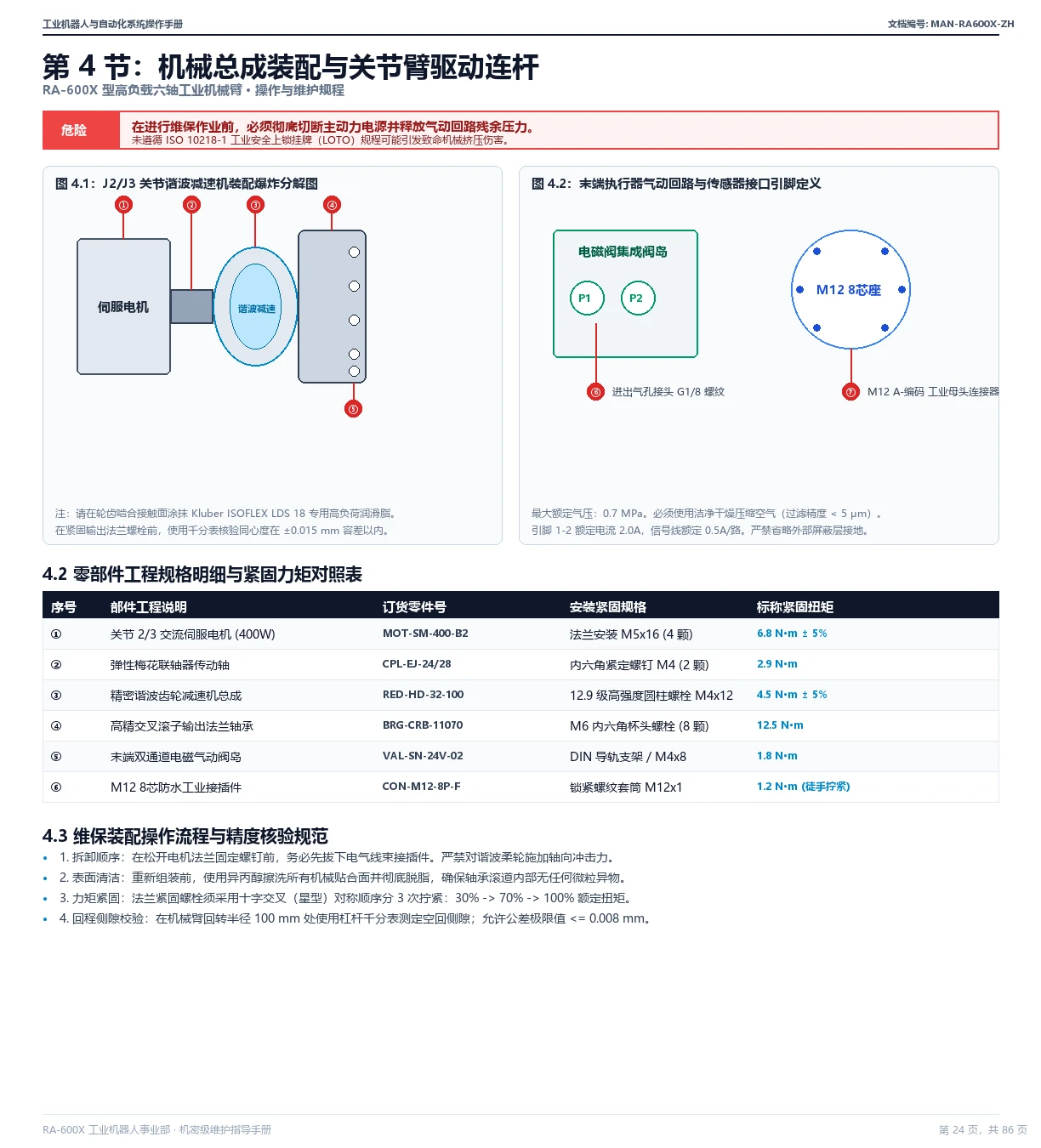
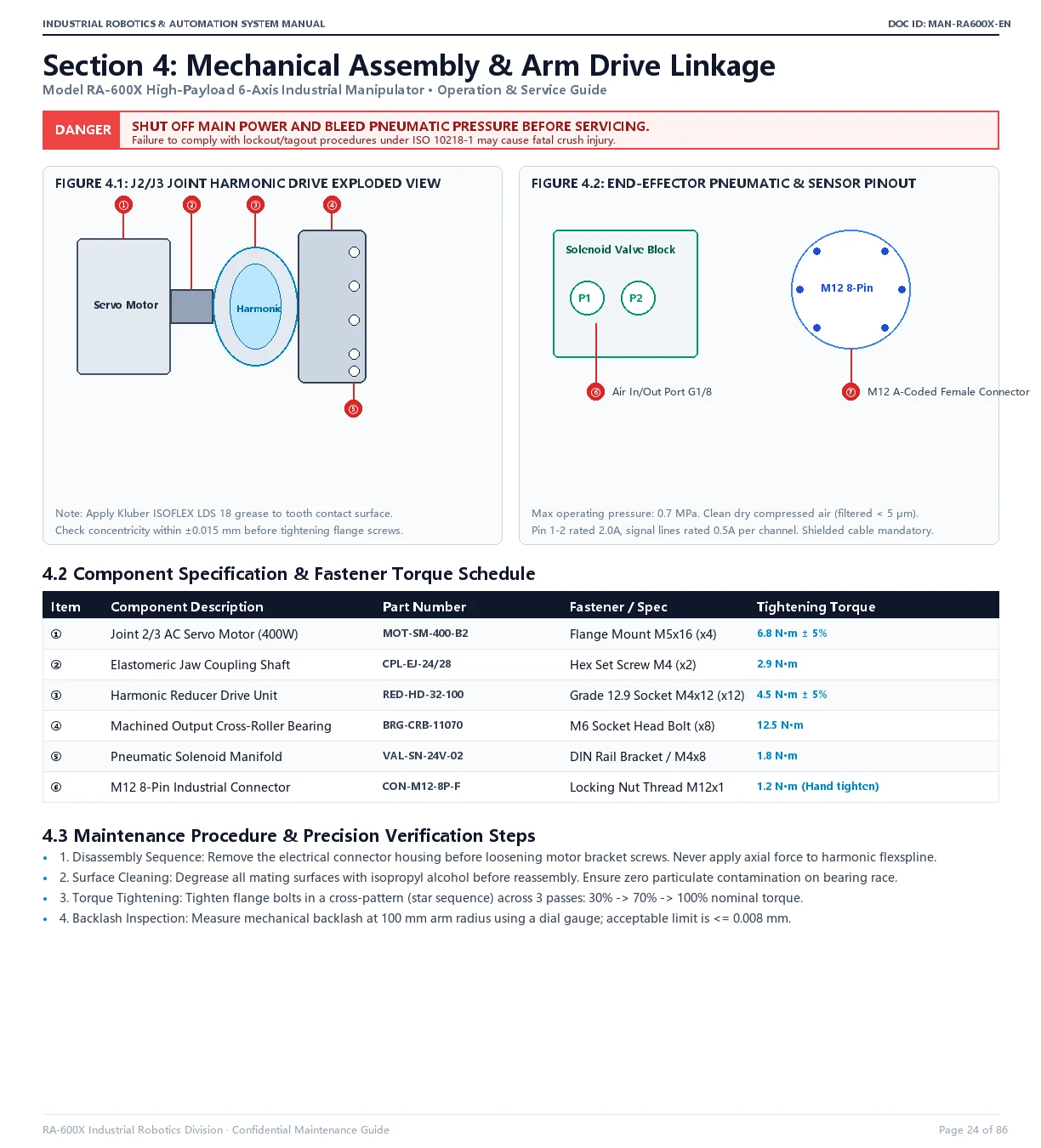
“Multi-Column Illustrated Manual” Sample
Dual-column industrial illustrations, pneumatic pinouts, and numbered callouts ①-⑦ locked in place; torque schedules and maintenance steps preserved 1:1.
Why Ordinary Translators Fail Here: